
As a club admin on eg. Handball Play, you can easily set up new team channels within your club. First, make sure you’re logged in with admin access and go to your club channel—only users with admin rights can create new team channels.
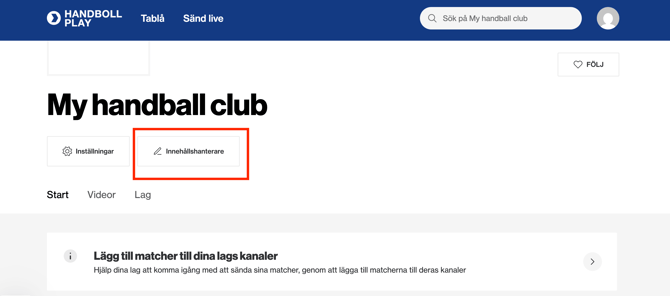
Click the Content Manager button as shown below to get started.
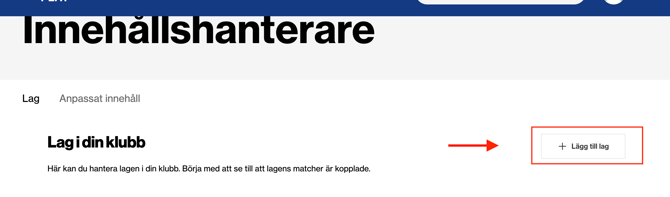
The following options will appear—select Add Team to proceed.
 Enter the name of the team channel you want to create.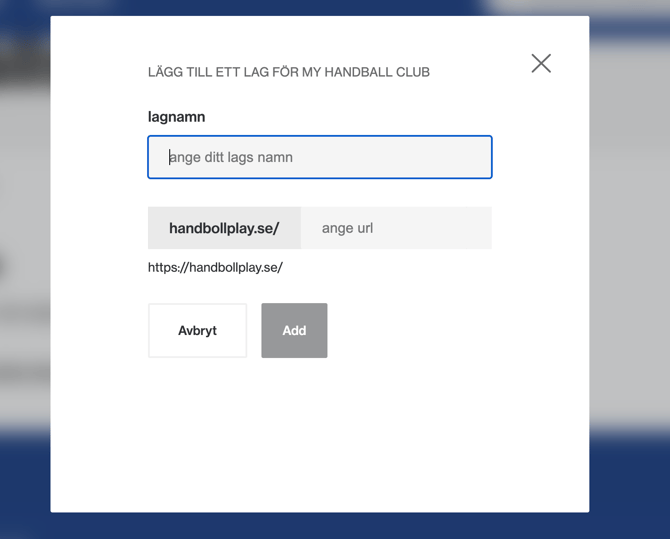
Then Press Add
Please note that the URL is generated automatically based on the team name you enter and cannot be changed later. For example, if your team is called “P13,” consider naming the channel after the birth year instead of the age group.
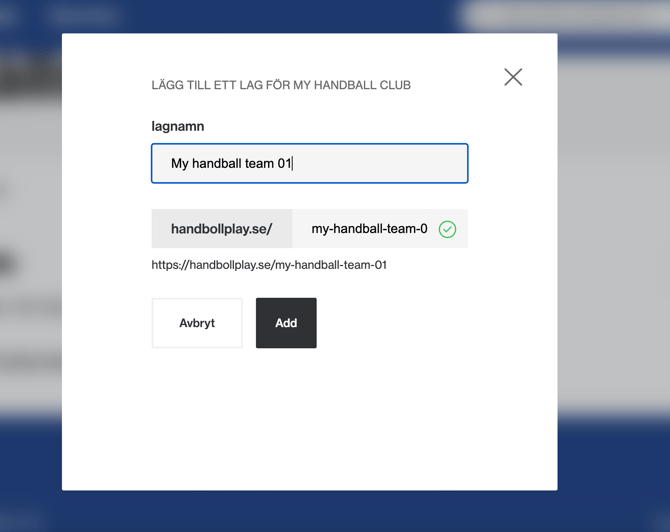
Your team channel is now created.
The next step is to assign an admin.
We strongly recommend adding yourself as the first admin for this team channel.
Otherwise, you will not be able to access the channel. Additional admins can be added afterward if needed. Learn how to add additional admins later here.
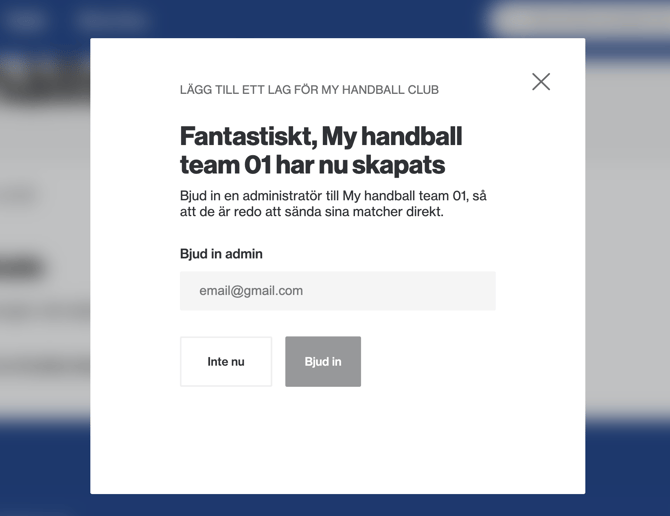
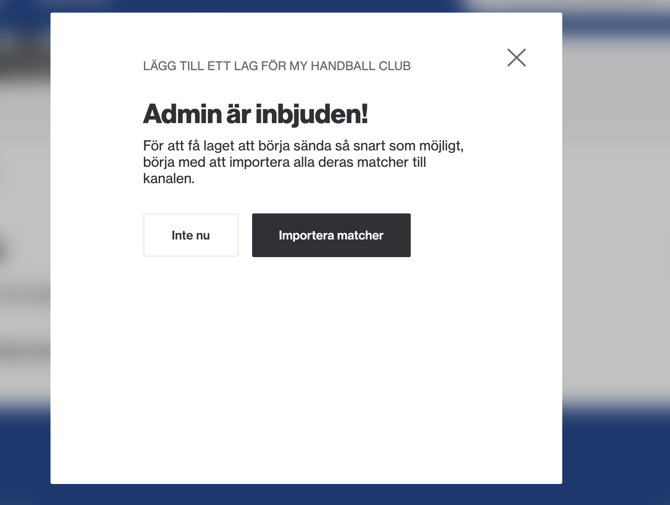
Now it’s time to import the series in which the newly created team channel will participate.
Press import games.
Alternatively, you can choose Not Now if you prefer to complete this step later.
Press add games
Search for the series or league your team participates in then press add.
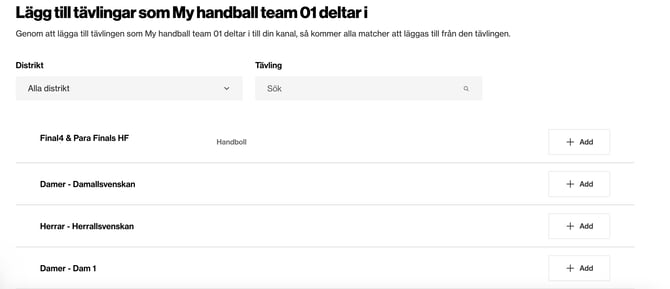
If you can’t find the series you’re looking for, or if you’ve found the correct series but no games are available, please contact us at cs@solidsport.com. To help us support you more efficiently, include a link to the game or series in the competition system, along with a brief description of what’s missing.
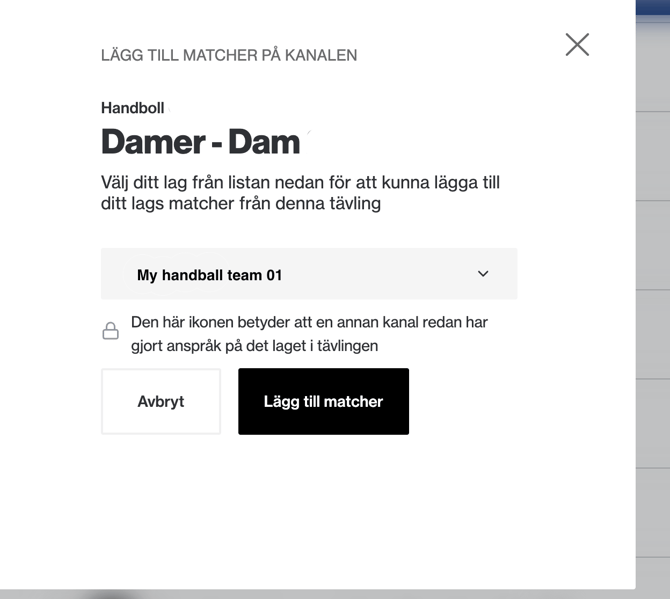
Next, locate your team in the dropdown menu and select your team’s name.
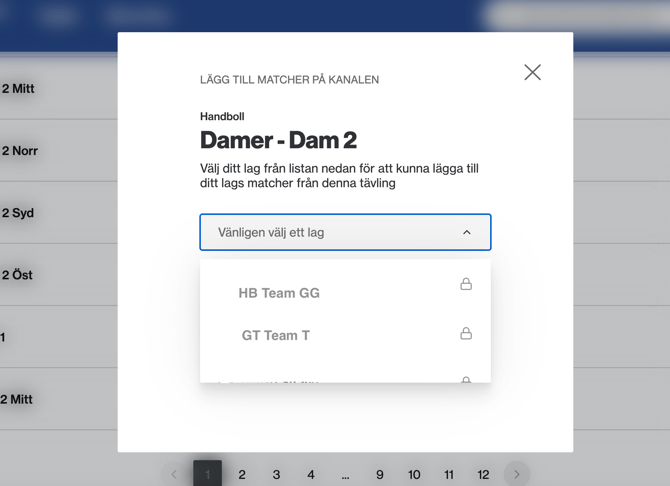 Teams marked with a lock icon are already managed by other channels.
Once you’ve found your team in the list, click Add games.
After importing competitions to your new team channel, you’ll still need to activate each game for live streaming under Upcoming Games from that team channel.