
Where the games are published
All games are published on the channel for their respective age group.
USM Basketball – view all age groups
USM Handball – view all age groups
2. Your account and broadcast access
We will add your streaming account (the email account you use to log in to Solidsport Broadcaster) to the relevant age-group channel and assign it to your designated court.
Access and game visibility:
- Games will appear in the app no earlier than 48 hours before their scheduled start time.
- Your account may also only receive broadcast access within this timeframe.
- If you log in earlier, you may see no games or receive a message stating that your account does not have broadcast access.
If there are less than 48 hours until your first game starts and you still do not have broadcast access or cannot see your games, please contact us.
How to start a broadcast
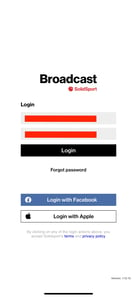
- Log in to the Solidsport Broadcaster app using your streaming account.

- Select the relevant USM age-group channel.
This step only applies if your account has access to more than one channel.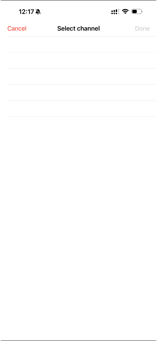
- Select your assigned court. The games for the group you are hosting will appear here.
- Select the game you want to broadcast.
- Press Broadcast now, then confirm by selecting Yes.

Scoreboard and game clock
You only need to focus on filming. The score and game clock are updated automatically in the livestream through the Profixio integration, using the information entered by the match secretariat.
These updates may not be visible in the Solidsport Broadcaster app, but they will appear in the livestream. You do not need to update the score or game clock manually.
Broadcasting with AI cameras or other equipment
If you plan to use AI cameras or another production setup instead of the Solidsport Broadcaster app, we still need to add your account to the relevant channel so you can access the streaming information.
Please let us know which account you will use and how you plan to broadcast the games.