
Below you’ll find step-by-step instructions for linking participating team logos so they appear on the games you are hosting.
Go to your channel’s backend/admin dashboard. In the red top menu, click Settings and then Cups & Events.
From the list, select the event where you want to connect the logos.
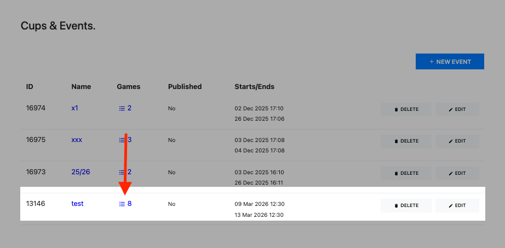
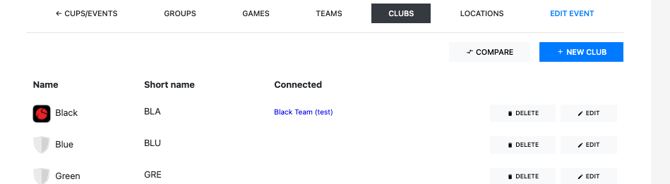
Then go to Clubs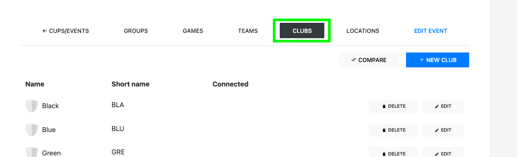
Then select the first club in the list that you want to connect and click Edit.

In the CONNECT TO field, search for the club you want to link and select it from the dropdown menu.
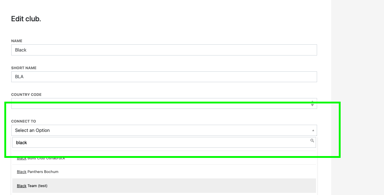
Once you’ve found the correct club, press Save .
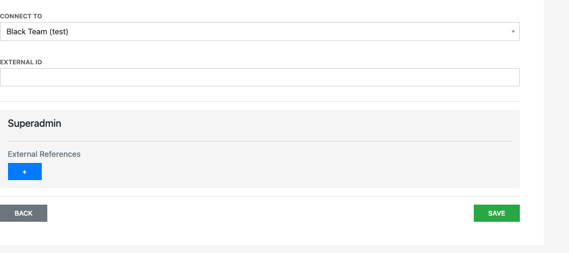
You will now see that the first club logo has been connected
Please note that the CONNECT TO search field is quite sensitive. Logos have been added to the system over many years by different people, which means the club name may be stored in different formats. If your first search doesn’t return a result, try alternative spellings or variations of the club name.
For example, if you want to connect AC Milan and “AC Milan” gives no result, try searching for “Milan”, “A.C. Milan” or “Associazione Calcio Milan”.
If a club still doesn’t appear, please contact us and we’ll add the logo to the system.